




The Agent UI is very hidden and confusing.
This workflow is part of the 'agent mounting' project, which allows us to address agents as resources by creating a little "agent mount" resource.
Proposal
Create a new Agent the same way you create a new Document or Collection: in the "New" menu of a document, or with the plus button in the browser. Select "New > Agent" and a dialog box appears with the agent creation menu.
The Old UI:
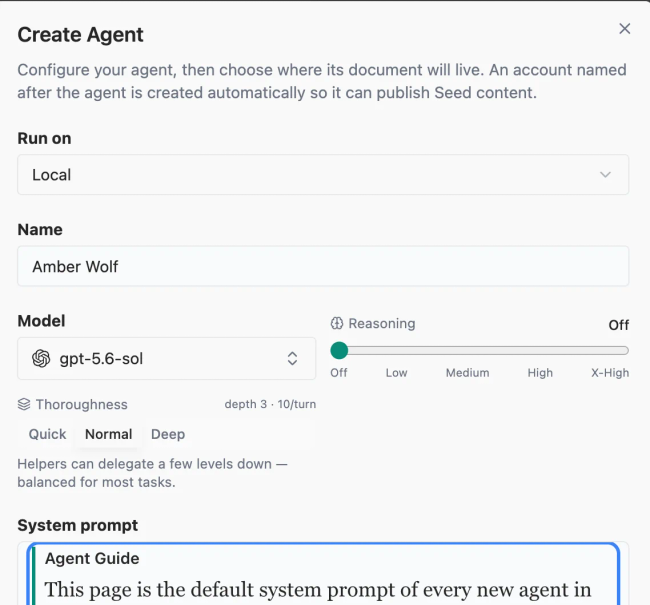
In the new UI, we would make it more minimal. It will "Run on" the default agent server and there will only be a dropdown for other locations if you have them set up.
The name and model provider are still mandatory. We will simplify the model settings so it does not show "Reasoning" or "Thoroughness".
The system prompt will be hidden.
Importantly, the new workflow gives a location for the agent. The agent will appear in the browser with a little agent icon, next to the documents.
Do you like what you are reading? Subscribe to receive updates.
Unsubscribe anytime