


Outcome
User Stories
As a site owner, I want videos to behave like subtle animations on my homepage so that I can create a more dynamic and modern experience without distracting controls.
Overview
The homepage includes looping videos that play automatically without sound or visible playback controls. This behavior is currently not supported in SHM, but it is conceptually simple to implement.
This project aims to introduce a flexible and scalable way to support autoplaying, looping, and minimal UI video experiences within SHM.
Problem
SHM video blocks currently require explicit playback.
The homepage design depends on:
Silent autoplay
Continuous looping
No visible controls
There is no current abstraction for this behavior.
Goals
Enable video blocks to behave like lightweight background animations.
Provide simple configuration for autoplay experiences.
Maintain good UX (e.g., avoid autoplay with sound).
Proposed Solution
Add an options panel to video blocks with the following toggles:
Autoplay
Video starts automatically on load.
Must be muted by default (autoplay with sound is poor UX).
Loop
Video restarts automatically when it ends.
Hide Controls
Removes all playback UI.
Videos should have an easy button to turn audio on.
This approach is:
Flexible
Composable
Clear to users
Summary
This project introduces a small but powerful extension to video blocks, enabling SHM to support modern, animation-like video usage while keeping the system flexible and scalable.
Design
A) As an editor I want to upload a video to my document so that I can enrich my document with multimedia content.
B) As an user I want to upload a video on my comment so that I can enrich the comment with multimedia content.
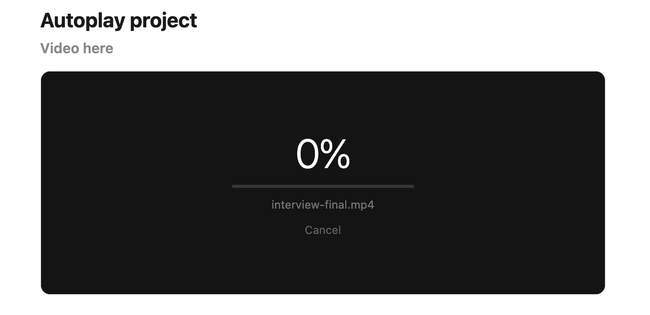
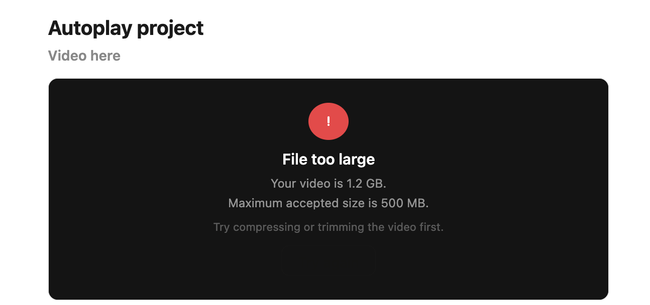
In both stories when user is uploading a video we need to show indicators and feedback:
﹪ A loading component
🚩An error message if the video is too heavy
𐄷 A message communicating what is the maximum weight accepted when too heavy
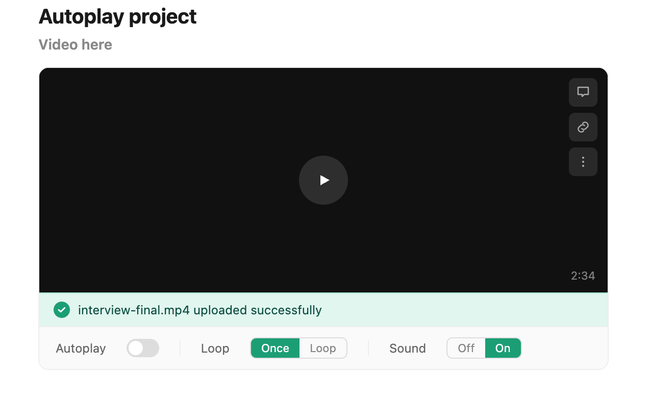
✅ A confirmation message when video is uploaded successfully
In story A we need to show video options.
Select autoplay (check box)
Select the video to be reproduce in loop or once
Sounds on or off by default
In this scenario, user drag and drops the video.
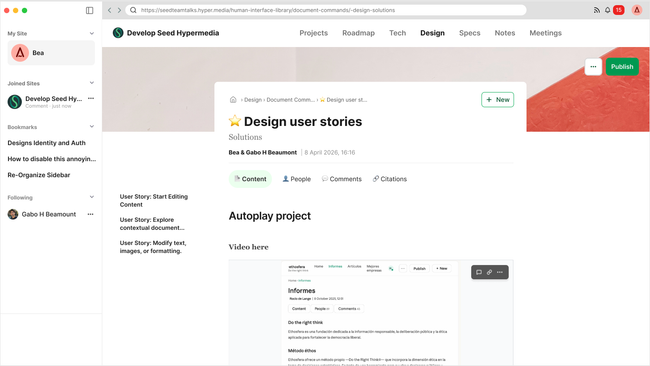
Thinking on when we will merge read and edit status I proposed to have 3 dots options on top of video/images/cards. In the video case:
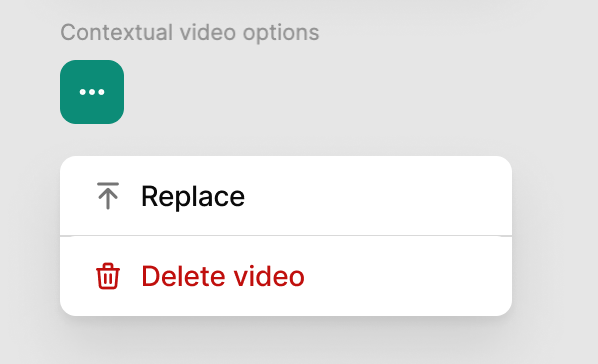
When uploading a Video, options will appear bellow and will disappear when publishing. There will be available again when clicking on it (when clicking edit until we merge status).
See prototype here:
B) Inside a comment
See in this video how we miss indicators and feedback and in the current experience user get stuck with no feedback.
Do you like what you are reading? Subscribe to receive updates.
Unsubscribe anytime