

Text disappears while writing, happens repeatedly in one specific document, not saved in version history
Problem While I was writing another bug report, the text I was typing disappeared. This has happened three times. I would stop typing, and suddenly all newly written text vanished. Although the app occasionally indicated that the content was "saved," nothing was saved in the version history.
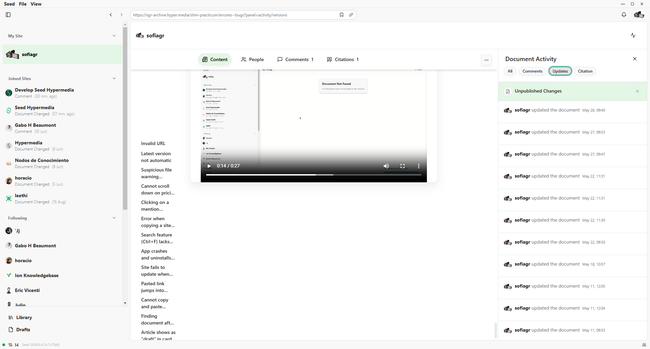
I tested whether the same issue occurs in other documents, but it does not replicate. The problem happens only in this specific document.
Steps to reproduce
Open the specific document where the issue occurs: https://sgr-archive.hyper.media/shm-practicum/errores--bugs
Start writing/typing content.
Pause typing or continue writing for a while.
Observe the text behavior.
Observed result: All newly written text disappears suddenly. The app may show a "saved" indication, but the text is not actually saved in version history.
Try the same steps in a different document.
Observed result: The issue does NOT occur in other documents — only in that one specific document.
Expected behavior Text should remain as it is typed. When "saved" is indicated, the content should be persisted and available in the version history. The issue should not occur in any document.
Debug Info
OS: Windows 11
App version: 6.4
Occurrences: 3 times
Scope: Only happens in one specific document
Version history: No saved versions of the lost text
Bug: Finding a profile takes over 20 minutes, "looking for this profile" stuck indefinitely
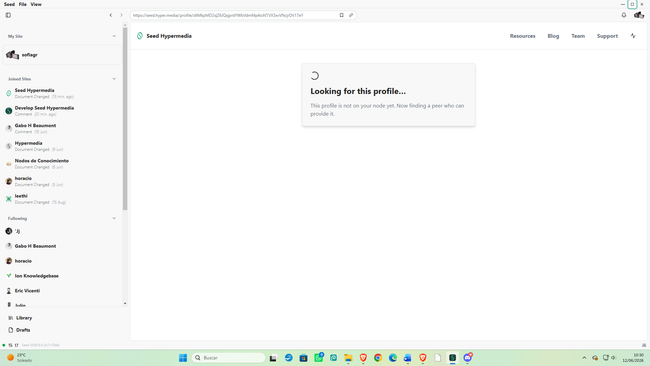
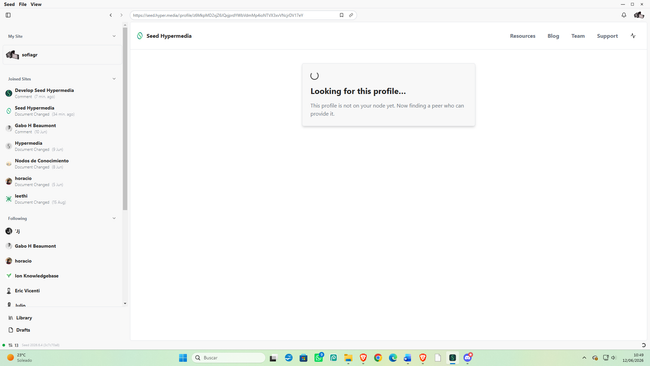
Problem I saw a comment from a user I follow, directed to another user I do not follow. I tried to view the profile of this unknown user. The app showed a loading screen with the message:
"Looking for this profile. This profile is not on your node yet. Now finding a peer who can provide it."
The process has taken over twenty minutes so far, and the profile still has not been found. The loading appears to be stuck indefinitely.
Steps to reproduce
See a comment from a followed user mentioning/replying to another user you do not follow.
Click or tap on the unknown user's name/profile link to view their profile.
Observe the loading screen.
Observed result: The message "Looking for this profile..." appears and the peer-finding process continues for 20+ minutes without successfully loading the profile.
Expected behavior The profile should be found within a reasonable time (e.g., a few seconds or minutes) and displayed correctly. The peer-finding process should complete successfully.
Debug info OS: Windows 11 App version: 6.4 Time waited: 20+ minutes (still ongoing) Profile type: User not followed, not on local node
Additional notes: The user who wrote the original comment (followed user) loaded correctly.
Bug: cannot add caption to image & cursor appears briefly then disappears and selects entire image
Problem
In a document, I tried to add a caption to an image that I had uploaded. When I clicked below the image, the cursor line (indicating where I could type) appeared for about a second, but then it quickly disappeared. Instead, the entire image became selected. I tried typing to see if the text would appear below the image, but the image disappeared (presumably because it was selected and typing overwrote or removed it).
Steps to reproduce
Open any document.
Upload/insert an image into the document.
Click below the image to add a caption.
Observe the behavior.
Observed result:
The cursor line briefly appears below the image (briefly).
The cursor then disappears.
The entire image becomes selected instead.
Attempting to type causes the image to disappear.
Expected behavior
Clicking below the image should allow the user to type a caption. The cursor should remain in place, and typing should insert text below the image without selecting or deleting the image.
Debug info
OS: Windows 11
App version: 6.7
Action attempted: Adding a caption to an image
Service error when accessing notifications and specific site ("Something went wrong" error)
When trying to access notifications and a specific site (https://hyper.media/hm/z6MkhGQJc96o3UNQ3JyUbCKfQo2bvaQ9KDNa9xxYHJFWWTwg/agora/agora--cibercultura--literatura-digital), the app displays the following error message:
Something went wrong. Service Error: !!! C:/Users/runneradmin/go/pkg/mod/google.golang.org/grpc@v1.79.2/server.go:1072 +0x11d
I checked whether the error occurs when accessing profiles or other documents, but it seems to be isolated to notifications and this specific site. The issue only appears in the desktop app; on the web version, I can access notifications (though it shows an empty inbox even though I know it shouldn't be empty).
Steps to Reproduce
Open the desktop app (Seed version 6.8 on Windows 11).
Try to access notifications.
Try to access the specific site: https://hyper.media/hm/z6MkhGQJc96o3UNQ3JyUbCKfQo2bvaQ9KDNa9xxYHJFWWTwg/agora/agora--cibercultura--literatura-digital
Observed result: The error message appears with the gRPC service error.
Try to access other profiles or documents.
Observed result: The error does NOT occur elsewhere.
Try to access notifications on the web version.
Observed result: Notifications load (but show empty inbox incorrectly).
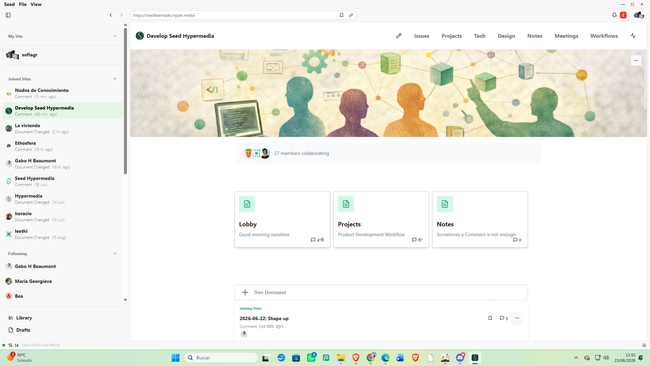
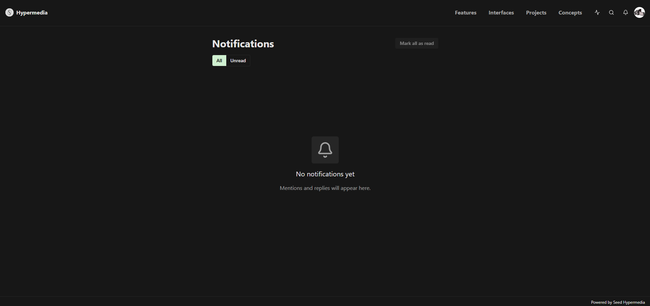
Expected Behavior The desktop app should load notifications and the specific site without errors. Notifications should correctly display their content (not show an empty inbox if there are notifications). The specific site should load normally.
Debug Info
OS: Windows 11
App version: 6.8
Affected features: Notifications, specific site (link above)
Error: Service Error — gRPC server.go:1072
Web version behavior: Notifications accessible but inbox incorrectly shows as empty.
Do you like what you are reading? Subscribe to receive updates.
Unsubscribe anytime