



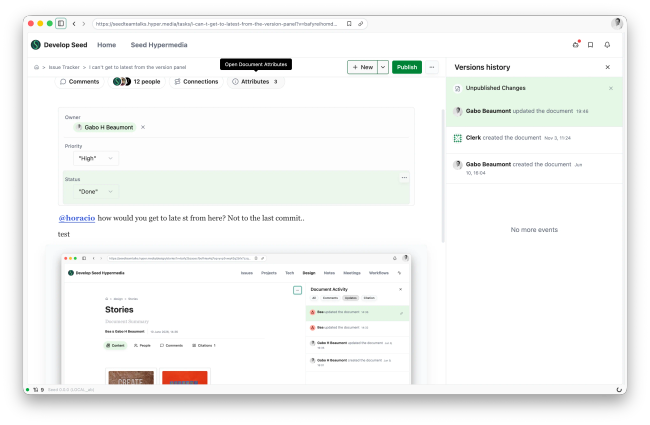
@horacio, how would you get to the Latest Published Update?
I published a version at 19:46. I made new edits by creating a new draft. I want to see the latest version before the draft, but I can't. I believe this is a bug.
Proposed solution: show or hide my changes from the Publish button
Why it happens: while a draft exists, the latest view always shows the draft on top of the published version. Selecting the latest published version in the version panel still shows your unpublished edits, so you can't see what is live.
A first fix let you hide the draft, but the control was hard to find: an eye icon inside the Publish popover and on the version panel row, with a different "Show changes" button to come back. The proposal below puts the control in one obvious place.
The split Publish button
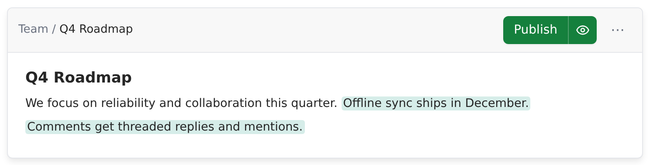
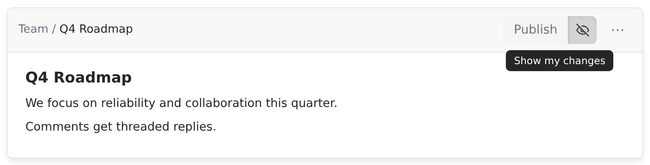
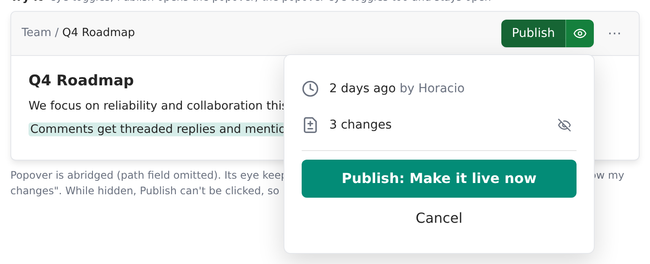
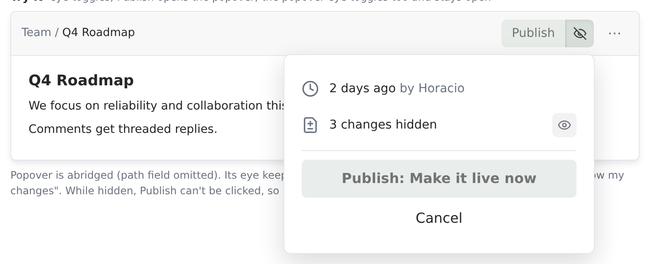
Publish gets a right section with an eye whenever there are unpublished changes. Clicking the eye hides your changes and shows the latest published version. Clicking it again brings your changes back. Your draft is kept and autosaved either way.
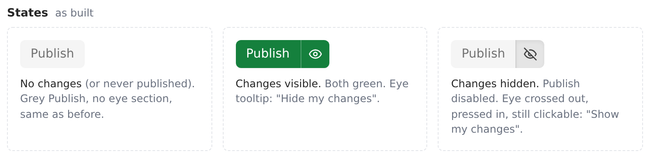
No changes, or never published: grey Publish, no eye section, same as today.
Changes visible: Publish and the eye are both green. Tooltip: "Hide my changes".
Changes hidden: Publish is disabled (you can't publish what you can't see). The eye is crossed out, pressed in and still clickable. Tooltip: "Show my changes".
The Publish popover
The popover keeps an eye in the changes row and toggles both ways without closing. While hidden, the row reads "3 changes hidden" and "Publish: Make it live now" is disabled.
Walkthrough
Other changes
The eye on the version panel's "Unpublished Changes" row is removed, so there is a single control. Clicking that row still brings your changes back.
The change count in the popover keeps counting your draft while it is hidden.
Questions for design
Eye meaning: on the Publish button the eye shows the current state (open = your changes are visible). In the popover it shows the action (crossed out = hide). Should both work the same way?
Hidden state: is the grey, pressed-in eye clear enough, or should hiding look more distinct (for example, an outlined eye section or a label on the page)?
Getting back: while hidden, Publish can't be clicked, so the popover only opens with ⌘↵. Is that acceptable?
Mobile: the split button adds width to the top bar. Does it fit, or should the eye move into the document menu on small screens?
The images and video come from HTML sketches that match the implementation in progress (not merged yet).
Do you like what you are reading? Subscribe to receive updates.
Unsubscribe anytime