


As an admin, I want to manage who has write in my public space
Acceptance criteria
1. Where to manage access
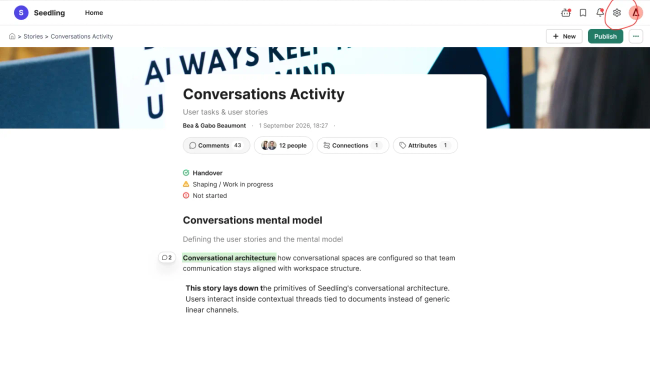
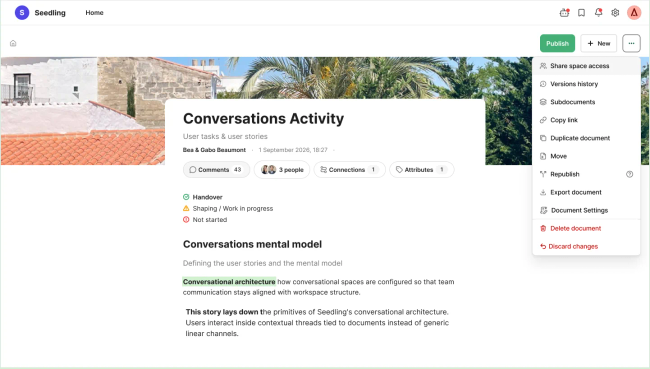
Admins can open sharing settings from Space Settings accesible on the wheel icon or from the homepage via (⋯) → Share space access.
2. Privacy modes and inviting people:
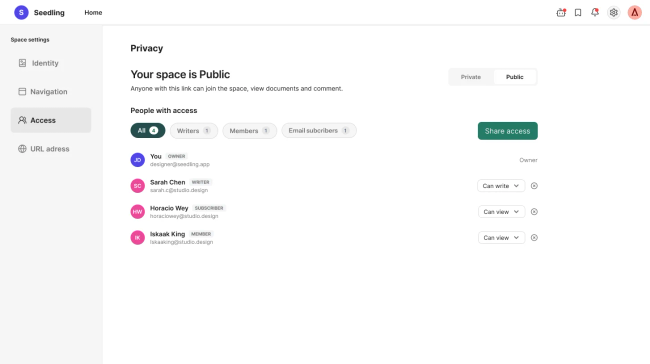
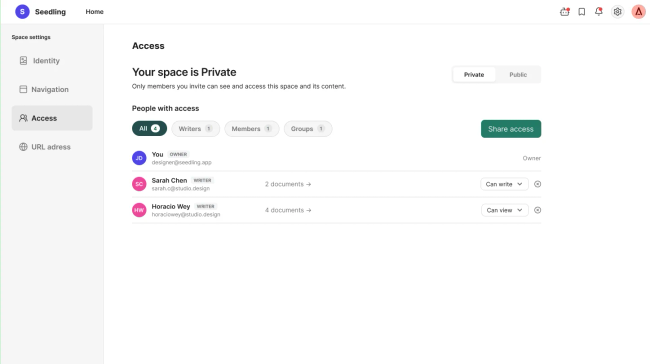
Admins can see the space Privacy on Space Settings. The subtitle reflects the selected mode.
Admins open Share access from the Access page. There are two ways to invite, if space is private:
Invite by link: generates a link with a unique token. The Admin sets the role (Can view / Can write) and the scope (whole space or specific documents).
Invite people: search for people who already have a Seed account and add them directly.
If space is public, by sharing a link you can see all content but you can just add comments by joining the space.
Do you like what you are reading? Subscribe to receive updates.
Unsubscribe anytime