


As a new user I want to understand how to create content on my space and how is organize easily
Context:
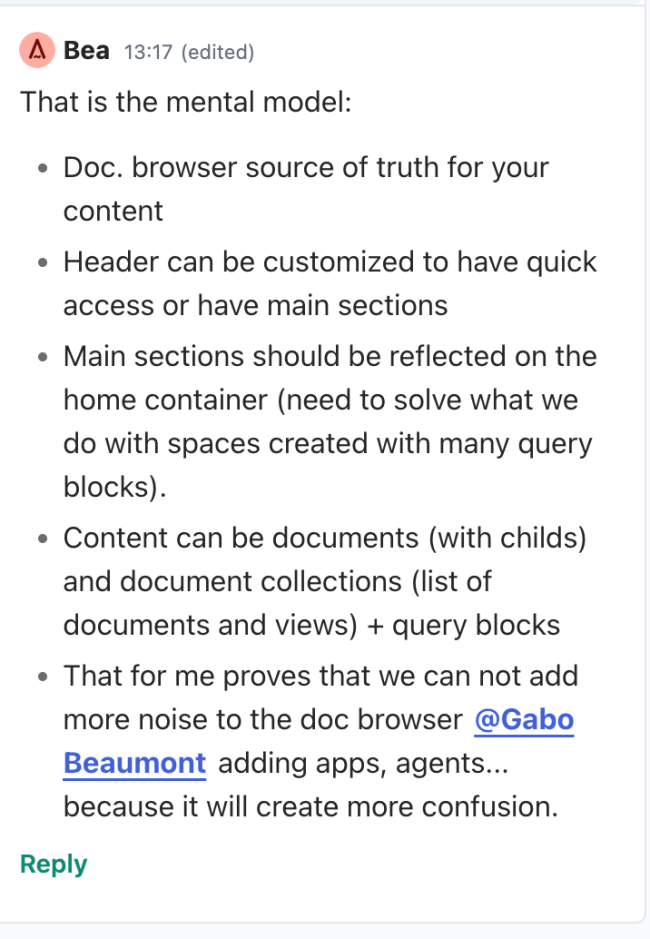
A Seed space is a shared knowledge base. We’re moving to a model where Home is a real document. Whatever you create in a location lives there and appears in the document browser. The header gives quick access, the document browser shows the structure, and the content area is where you are.
Problem:
New users don’t know where to start or how navigation is organised.
Importing 1,000+ documents would flood Home with sections unless we help the user build a structure first.
Existing spaces built Home from query blocks. After the update, their document browser will look empty.
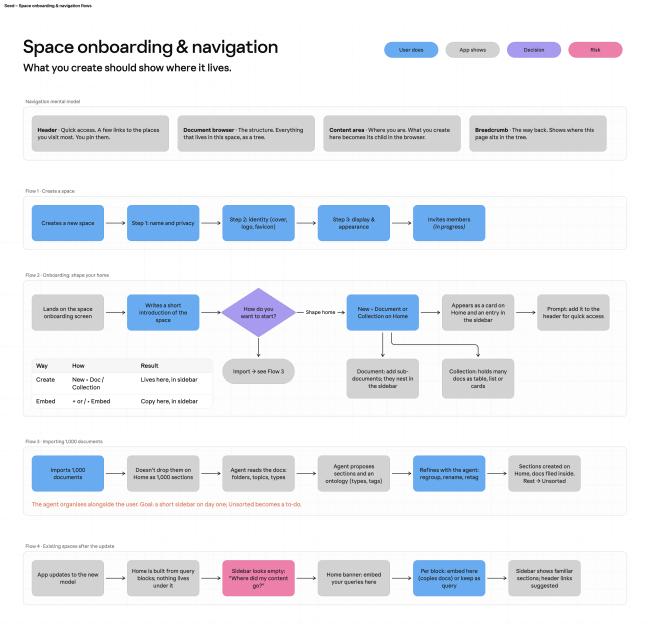
Flow 2: Creating a new space from scratch
Flow 3: Creating a new space and importing
Prototype goes here
Flow 4: Exisiting spaces after update
Prototype goes here
Two ways to add content:
Create new: document or collection (content that did not previously exist) (THIS SHOULD BE THE PRIMARY WAY TO ADD CONTENT TO YOUR SPACE)
Query block: bring existing content from one location to another (in the form of a card or a collection)
(THIS SHOULD BE THE SECONDARY WAY TO ADD CONTENT TO YOUR SPACE)
Do you like what you are reading? Subscribe to receive updates.
Unsubscribe anytime